3PL Operations Admin
Provider accounts, runtime settings, warehouse handoff, fulfillment sync, and alerts
3PL Management App
Use the 3PL Management app for provider health, runtime settings, provider configs, provider accounts, provider transitions, warehouse manager, fulfillment manager, record sync states, runtime requests, transactions, inventory, purchase orders, and stock lookup:
https://exodus--vesper.sandbox.lightning.force.com/lightning/app/ThreePL_Management
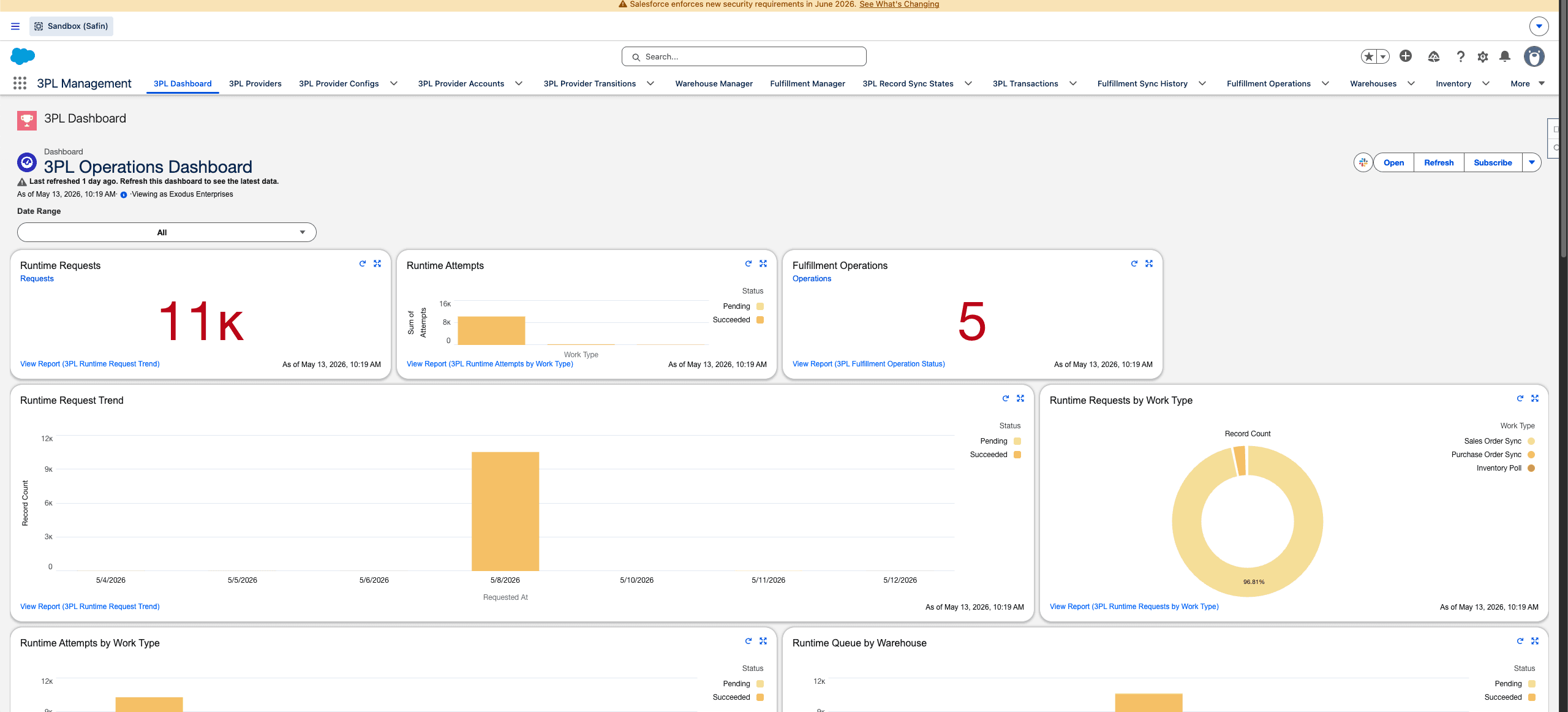
Safin dev sandbox 3PL Operations dashboard, captured from the browser content area without Chrome tabs or desktop chrome.
Provider Accounts and Configs
Provider account rows hold reusable provider identity and auth/configuration context. Provider configs connect warehouses and runtime behavior to those provider accounts.
Current integration examples in this repo include OrderDesk/Pakmo, Packiyo/Pakmo, and Katana/Kandy Kush. Admin docs should describe actual configured providers in QA rather than inventing new provider routes.
Runtime Settings
3PL Runtime Settings controls operating days, runtime windows, inventory bucket timing, work polling, alerts, and provider runtime behavior. Callouts run as the current or scheduled user. Do not describe the system as impersonating a warehouse integration user unless the runtime code actually supports that.
Warehouse Handoff
Configured 3PL provider warehouses must be deactivated or replaced through the 3PL warehouse/provider takeover path. Generic warehouse edits can miss provider, inventory, and downstream fulfillment dependencies.
Safe handoff requires:
- Successor warehouse/provider when active records still depend on the old one.
- Inventory blocker review before deactivation or reassignment.
- Provider transition audit record.
- Post-change refresh of runtime/provider state.
Fulfillment Sync
Fulfillment sync writes provider state, packed lines, tracking, provider sync tags, sync issues, and history back to Sales Orders. If a provider omits tracking but provides shipment identity and packed-line evidence, fulfillment can still complete when the provider adapter supports it.
Alerts
Fulfillment failure alerting should be configured from runtime settings and notification profiles. Use cooldowns to avoid repeated alert storms for the same operational issue.
Last updated on
Payment Gateway Lifecycle
Admin guide for gateway setup, connection testing, successor-backed replacement, token coverage, and historical transaction safety
3PL Runtime Admin
Admin guide for provider accounts, provider configs, runtime settings, warehouse handoff, alert routing, and scheduler ownership