Quote Approval
Submission, review, decision history, emails, and approval dashboards
Submission
Use Submit for Approval from the Quote record. The custom submission action validates the quote state before the approval request is created.
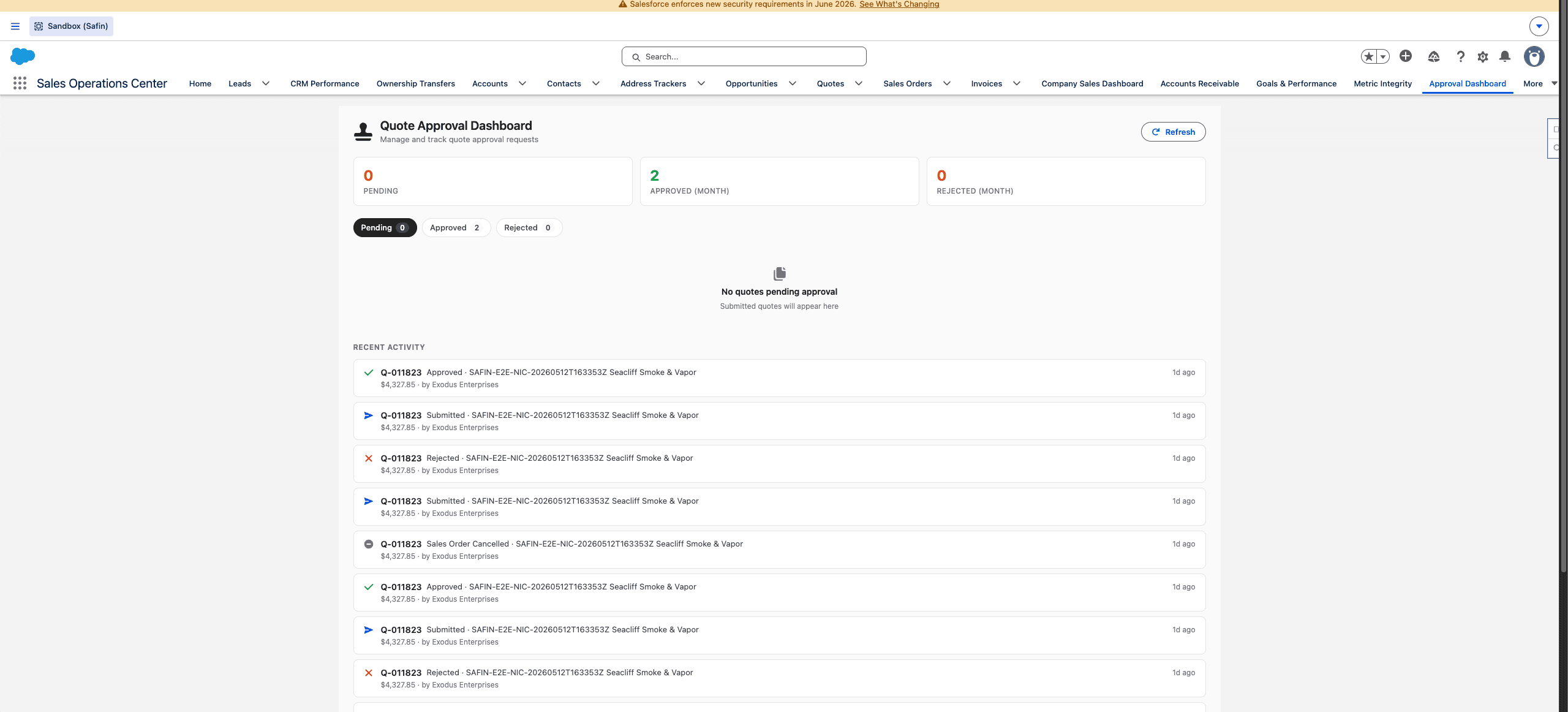
Safin dev sandbox Quote Approval dashboard, captured from the browser content area without Chrome tabs or desktop chrome.
Approval submission should happen only after:
- Customer, contacts, and addresses are correct.
- Quote lines and totals are final enough for review.
- Required payment method or gateway readiness prompts have been resolved.
- Any item-rule warnings are understood and documented.
Review
Approvers use Review Quote Approval from the Quote record or the Quote Approval dashboard/list. The review action writes approval history and captures approve/reject decisions with notes.
Rejected quotes should be corrected and resubmitted rather than worked around. The approval history record is the audit trail for decision trend, rejected reasons, high-value pending quotes, and aging reports.
Emails
Use Resend Approval Email from the Quote or Resend This Approval Email from approval history when an approver or stakeholder needs the approval communication again.
Status Components
Quote pages include approval status components:
| Component | Use |
|---|---|
| Status badge | Fast visual status on the record. |
| Status banner | Prompts users about required approval actions. |
| Timeline | Shows submission and decision history. |
| Approval dashboard/list | Lets managers work pending approvals by age and value. |
Manager Dashboards
Use Quote Approval Dashboard and Quote Approval SLA Dashboard to monitor pending aging, decision trends, rejected reasons, approval volume, and high-value quotes waiting for action.
Last updated on